 RPIEM / HopTrace
InstallAdd to Chrome
RPIEM / HopTrace
InstallAdd to Chrome
RPIEM / HopTrace
InstallAdd to Chrome
RPIEM / HopTrace
InstallAdd to Chrome
Chrome extension for developers and SEO practitioners
Open any page, click the toolbar icon, and HopTrace shows the full path the browser took to get there: every redirect in order, with its status code, the exact Location header, the time each leg cost, and the server that answered.
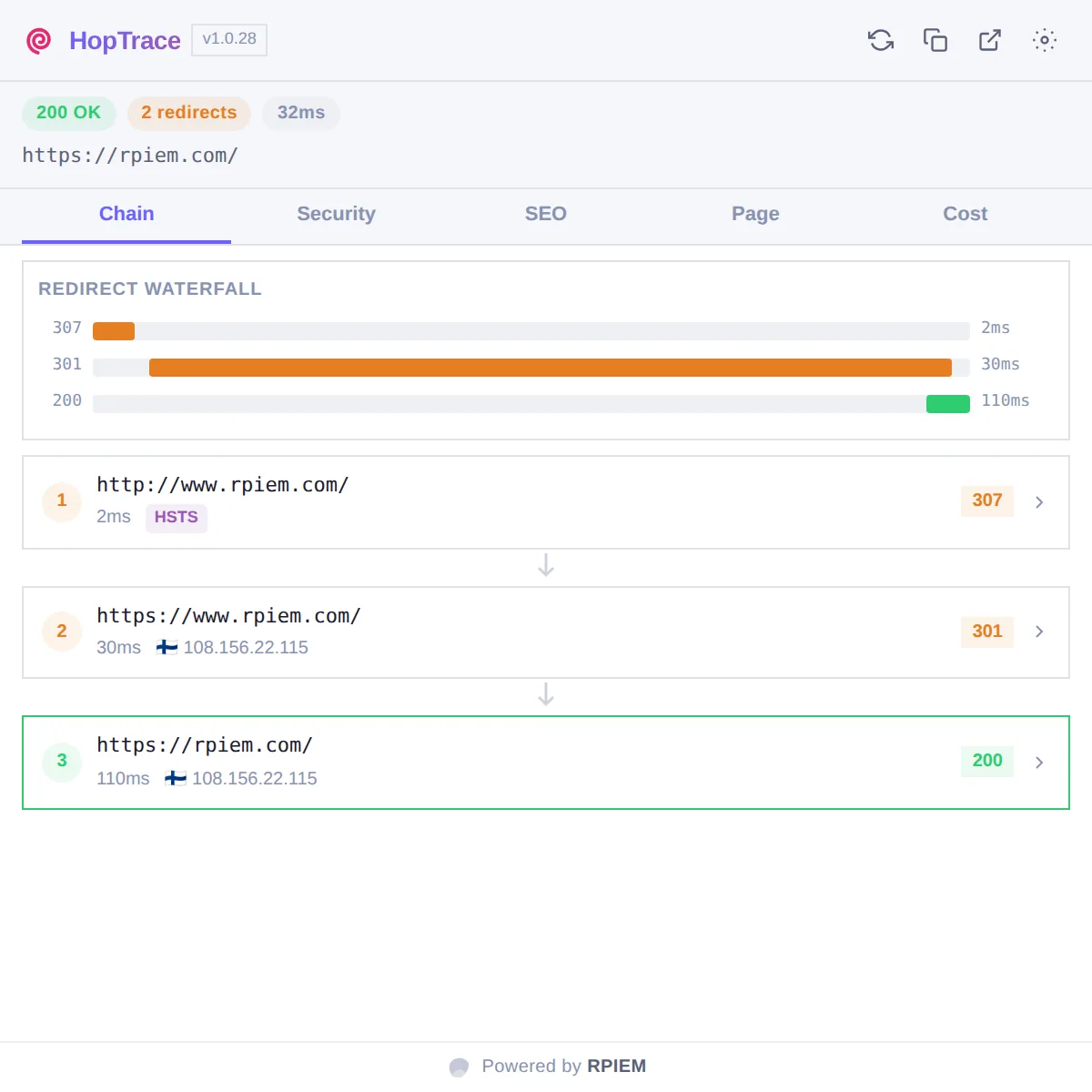
Five views of the same navigation. Everything comes from the page you are already looking at.
Every hop from the URL you asked for to the page you landed on. 301 or 302, meta refresh or JavaScript navigation, HTTP-to-HTTPS upgrade or cross-domain handoff: each one is labelled, timed, and expandable to its full request and response headers.
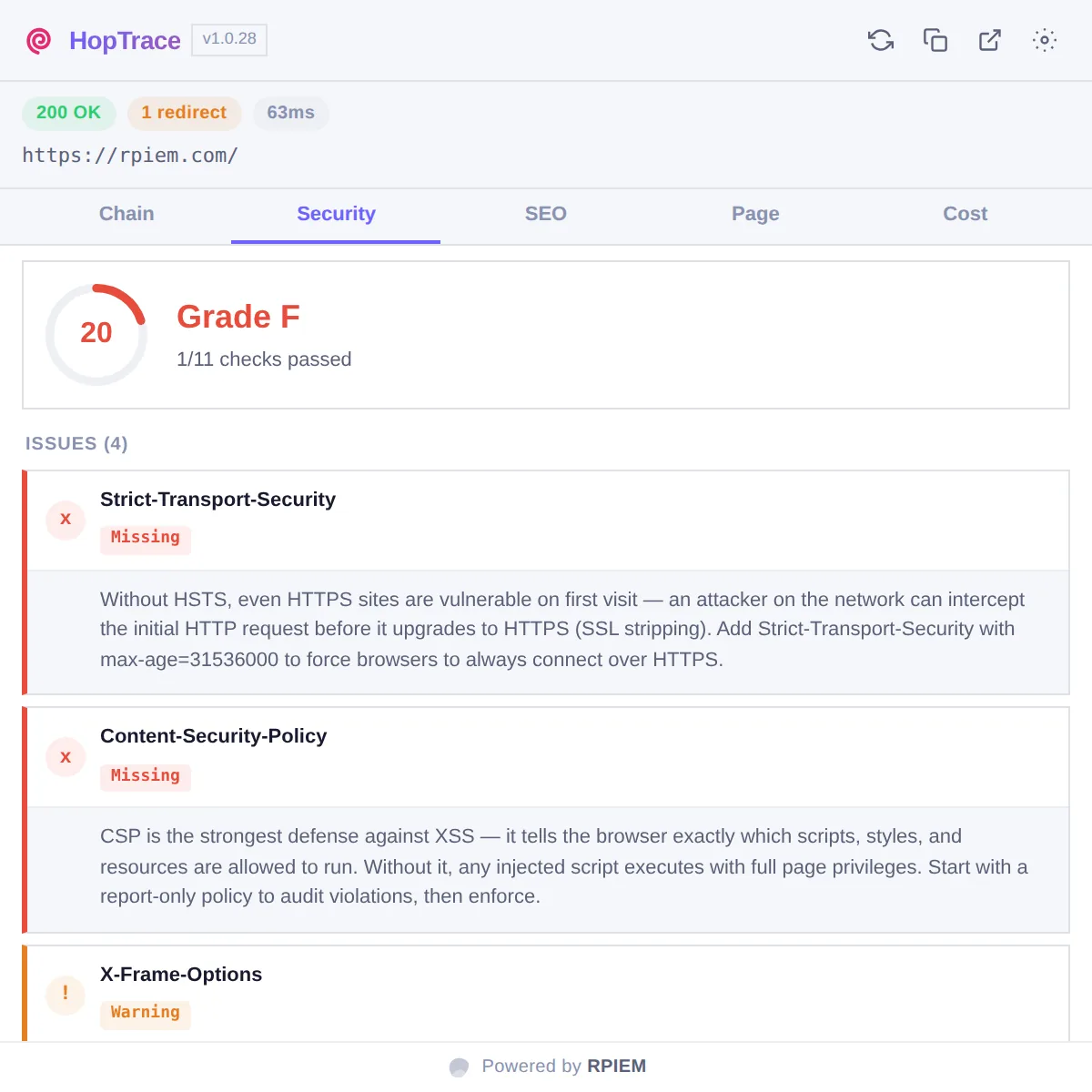
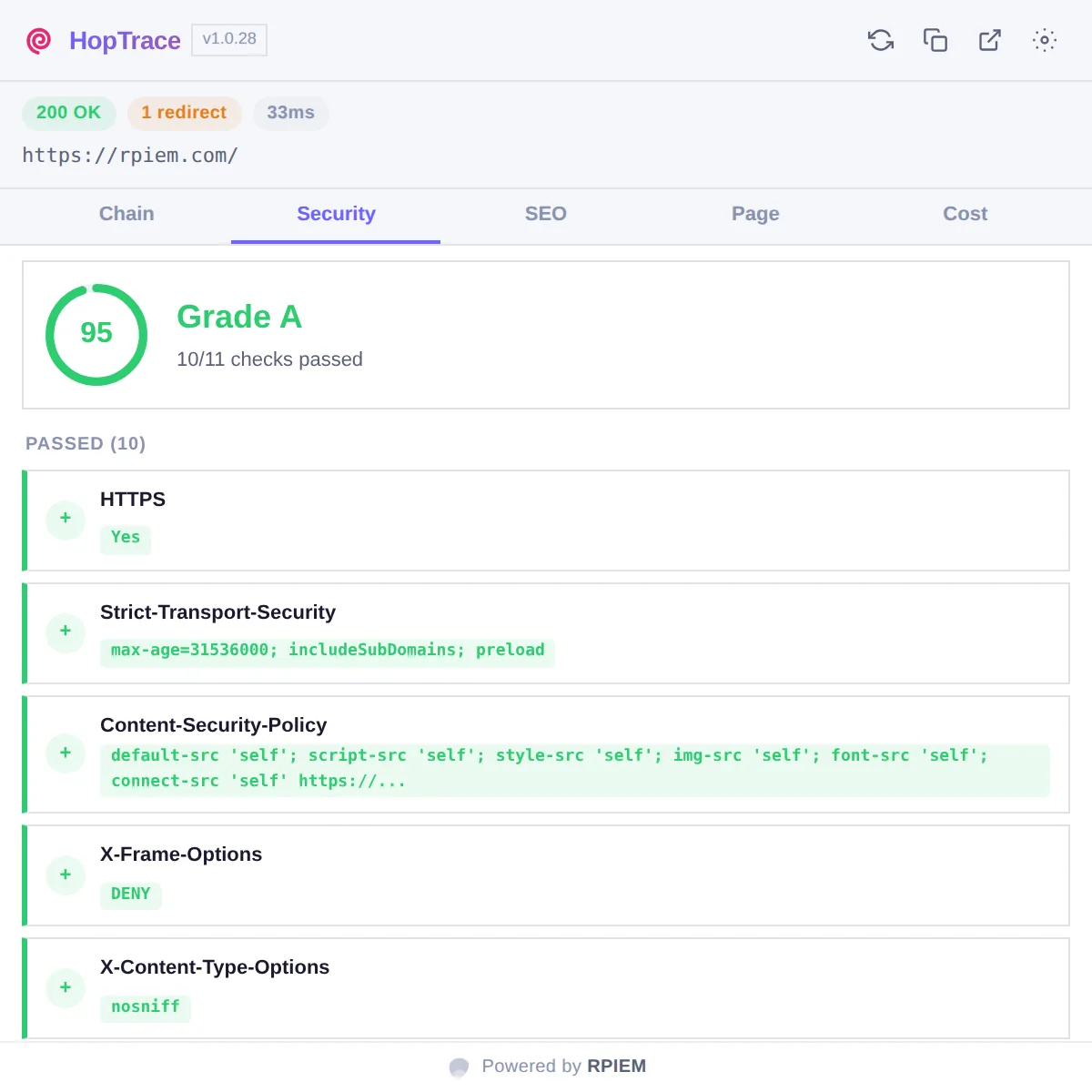
The security headers on the final response, graded and explained. Weak or missing directives come with the reason they matter and what to set instead.
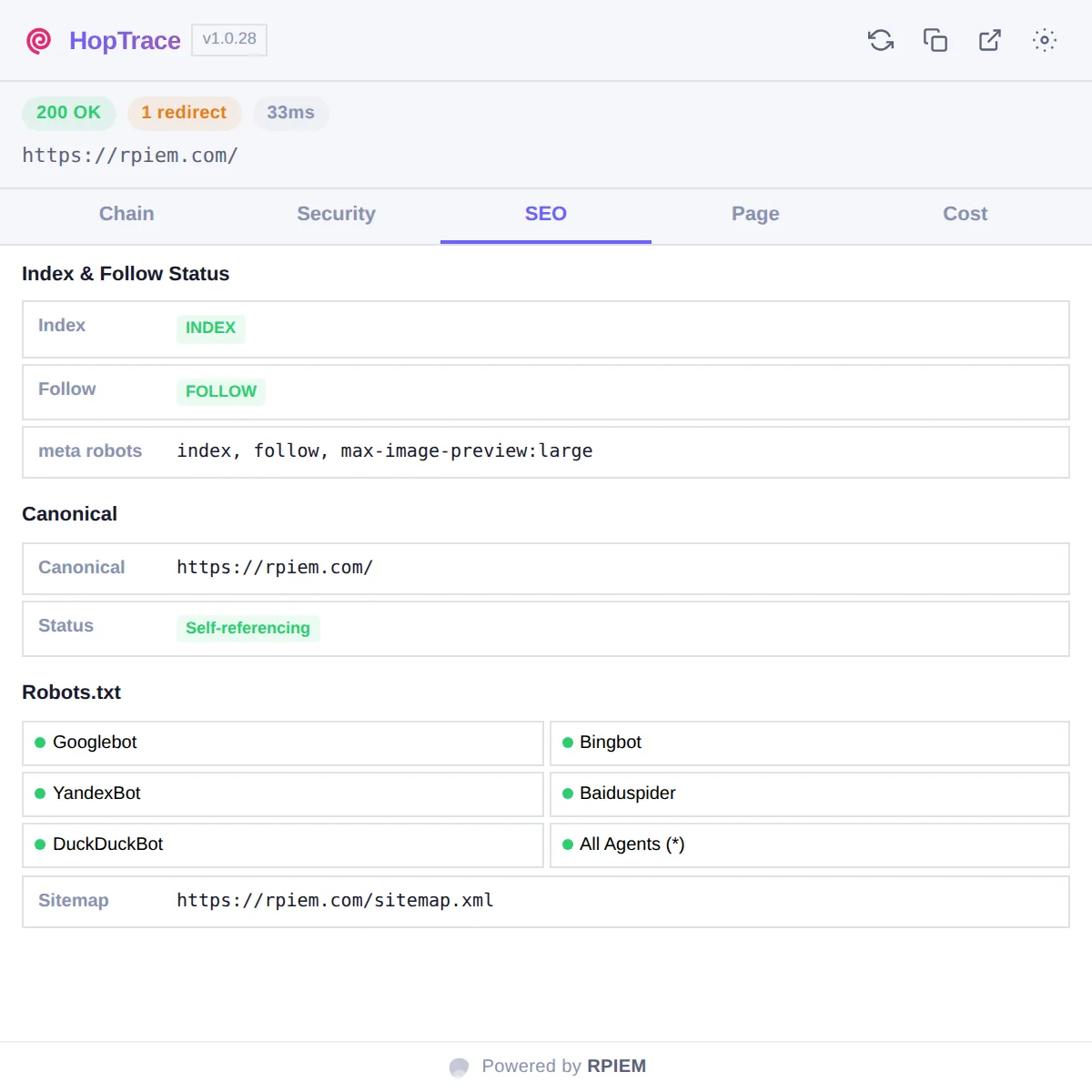
What the destination page tells crawlers, and whether the crawler you care about is allowed to reach it.
Navigation timing for the landing page, alongside the document's own inventory.
What the redirect chain costs in round trips and milliseconds, so you can see whether collapsing two hops into one is worth doing before you open a ticket for it.
While building this page we pointed HopTrace at rpiem.com. It graded the site F: no HSTS, no Content-Security-Policy, no X-Frame-Options, no X-Content-Type-Options, and www.rpiem.com serving a second copy of the site instead of redirecting. Two CloudFront Functions later, it grades A. Every capture below is the shipped extension on the live site, not a mock-up.
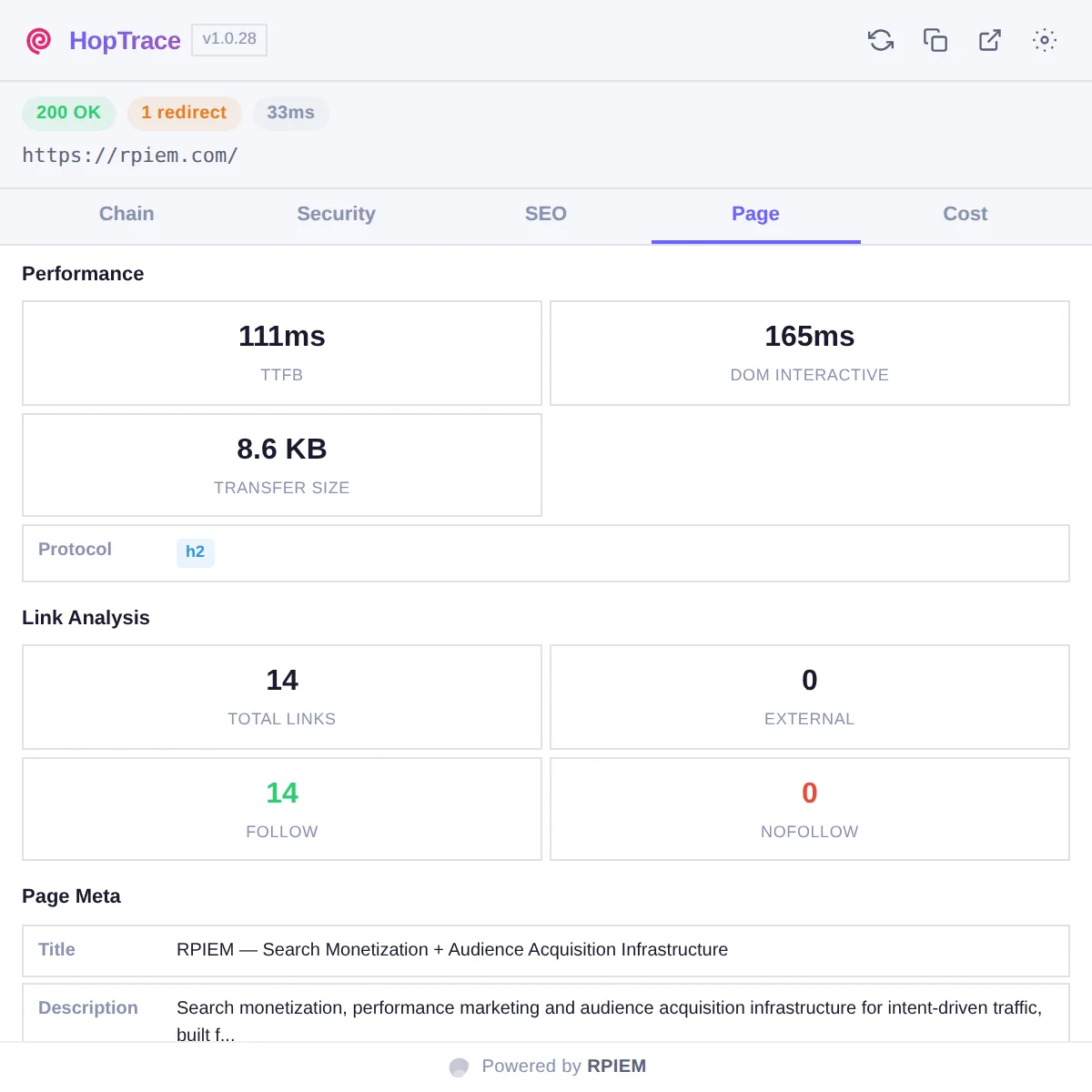
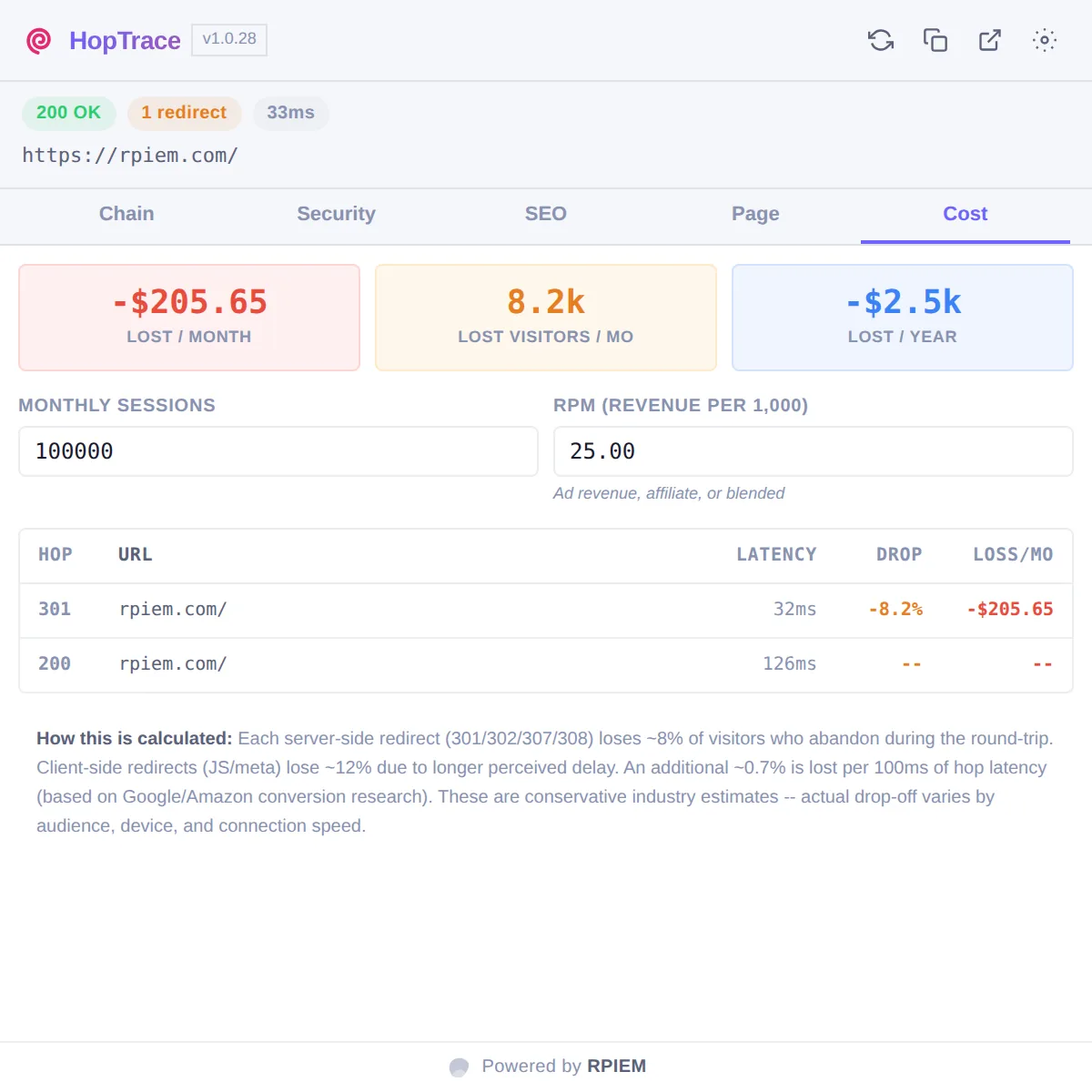
Navigate as you normally would. HopTrace observes the navigation in that tab.
The popup opens on the trace for the tab you are looking at, not an arbitrary one.
Expand a hop for its headers, switch views, or reload without cache to trace again cold.
HopTrace uses the same webRequest and webNavigation events Chrome exposes to DevTools. It only observes: it does not modify, block, inject or rewrite anything on the pages you visit. Traces are written to a local IndexedDB database on your own machine, capped at the 500 most recent and 30 days of history, and can be wiped at any time from Options.
Your browsing history is not uploaded anywhere. Traces stay in local storage on your computer, are pruned automatically, and can be deleted outright with one button in Options.
The extension makes exactly two kinds of outbound request, both over HTTPS, and both optional:
Fetched from the origin of the URL being traced, to evaluate crawl rules for the destination. A plain GET with no extension-added headers, cookies or body.
The resolved IP of a server in the chain is sent to label it with a country and network operator. Only that IP is sent. Your own IP address, the URL, your cookies and your request headers are not.
Both can be switched off under Options, Analysis, and the extension remains fully functional without them.
Free. Chrome 114 or later, Manifest V3. No companion app, no sign-in, no subscription.